Meta Ad Account Setup for DTC: Pixel, CAPI and Events Manager

By
Frank Kenne
October 27, 2026
•
5 min read
Share this post
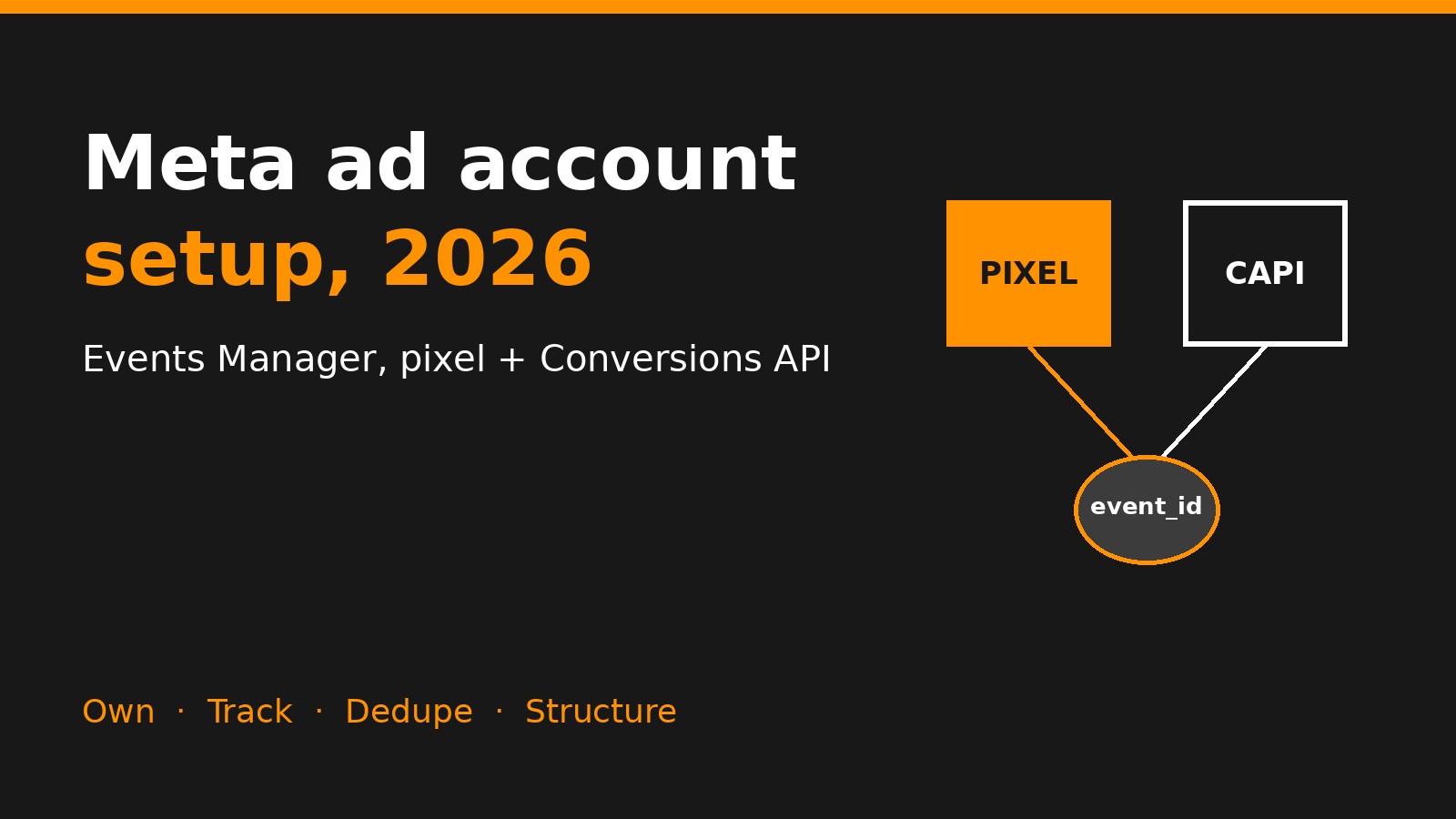
Meta ad account setup illustration showing pixel and Conversions API joined by a shared event_id

Introduction

A conversion-ready Meta ad account needs five things: a Business portfolio you own, a verified domain, the pixel plus Conversions API sending deduplicated purchase events, a simple campaign structure, and a creative pipeline that keeps it fed. Meta's tools have changed a lot since this post was first written in 2023 – Business Manager is now "Meta Business Suite / Business portfolio," Events Manager drives setup, and Advantage+ does most of the targeting. This is the current setup we use for DTC brands.

Meta ad account setup illustration showing pixel and Conversions API joined by a shared event_id
Pixel plus Conversions API, deduplicated by a shared event_id.

What's in this guide

Own the business assets

The most expensive setup mistake is not owning your own account. If an agency or freelancer created the ad account, pixel or page under their portfolio, you can lose your data when the relationship ends.

  • Create the Business portfolio (formerly Business Manager) under the brand, with at least two owners from your team.
  • Own the Facebook Page, Instagram account, ad account, pixel/dataset and product catalog inside it.
  • Give agencies partner access to specific assets rather than adding them as admins or letting them own anything.
  • Turn on two-factor authentication for every admin and add a backup payment method so ads don't stop on a failed charge.

Verify your domain

In Business settings → Brand safety → Domains, add your store domain and verify it with a DNS TXT record (or the meta-tag method on Shopify). Verification proves you control the domain, lets you configure events for it and protects your links from being edited by others.

Pixel + Conversions API in Events Manager

The browser pixel alone misses a growing share of conversions due to ad blockers, browser privacy features and iOS restrictions. The Conversions API (CAPI) sends the same events from your server, so Meta sees purchases the pixel can't.
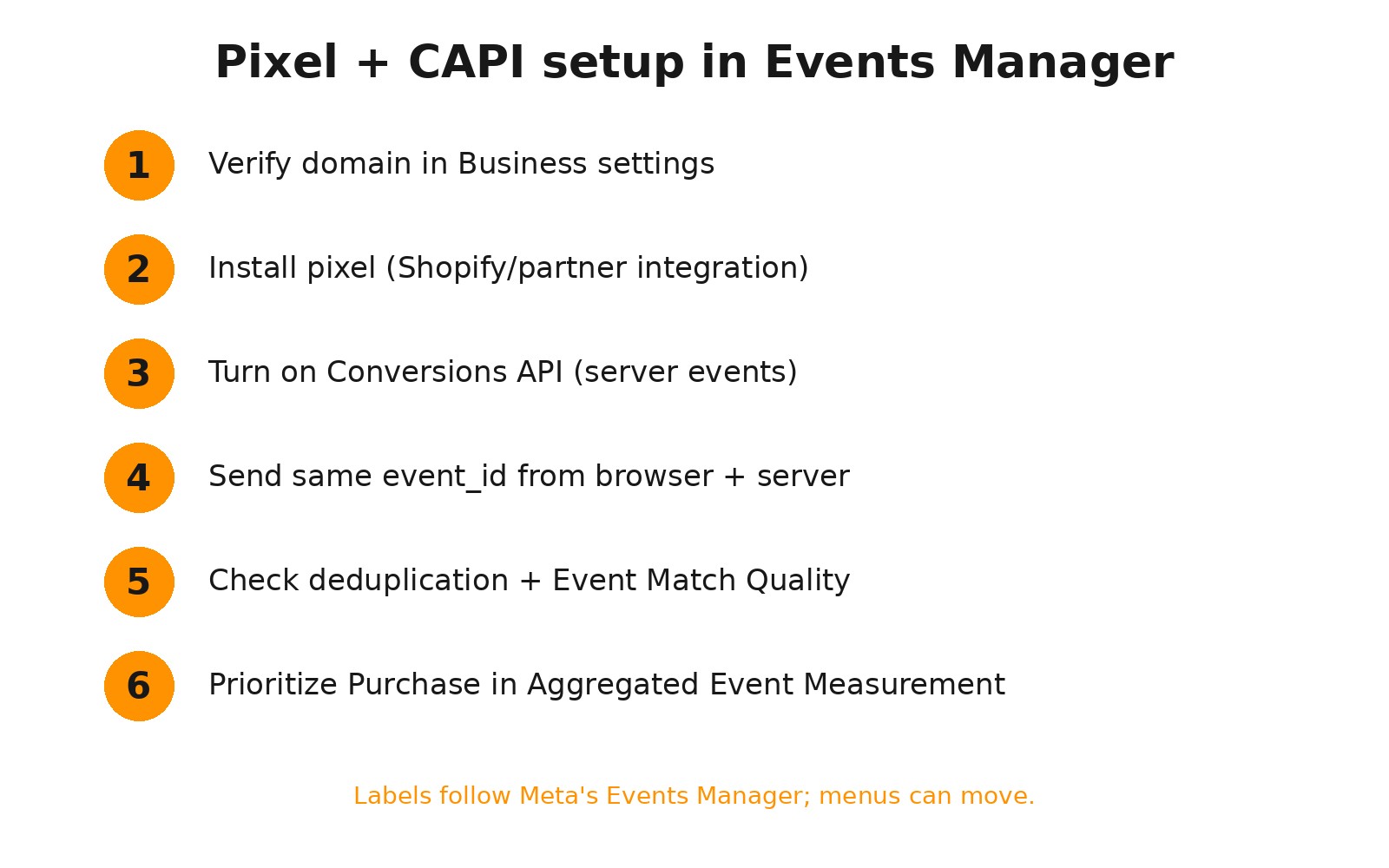
Six-step pixel and Conversions API setup checklist in Meta Events Manager
The core Events Manager setup steps.

The fastest path on Shopify

  1. Install the Facebook & Instagram sales channel app in Shopify and connect it to your Business portfolio.
  2. Choose your existing pixel/dataset (don't create a new one if you already have history).
  3. Set data sharing to Maximum, which enables the pixel plus Conversions API.
  4. Confirm in Events Manager that Purchase, AddToCart, InitiateCheckout and ViewContent show both Browser and Server as connection methods.

Other platforms

For WooCommerce, BigCommerce or custom stores, use the platform's official partner integration, Meta's Conversions API Gateway, or a server-side tagging setup such as server-side GTM. Whatever the method, the goal is the same: every key event sent from both browser and server with matching identifiers.

Deduplication and Event Match Quality

If the pixel and CAPI both send a purchase, Meta must know they are the same order. That happens through deduplication:

  • Send the same event_name and a shared event_id (usually the order ID) from both sources.
  • Check Events Manager → your dataset → event details for a deduplication warning. Purchases counted twice will make results look better than they are and train the algorithm on bad data.

Event Match Quality (EMQ) scores how well your server events can be matched to Meta users. Improve it by sending hashed email, phone, name, city, zip, plus the fbp and fbc browser IDs and client IP/user agent. Higher match quality generally means better attribution and better delivery.

Finally, reconcile: Meta-reported purchases for a week should be in a sensible range compared with Shopify orders. Much higher means duplication; much lower means missing server events.

Aggregated Event Measurement and priorities

For iOS traffic, Meta uses Aggregated Event Measurement. Meta now handles event configuration largely automatically for verified domains, but it is still worth confirming in Events Manager that Purchase is your primary optimization event and that your campaigns optimize for it. Optimizing for add-to-cart because "purchases are too few" usually buys cheap carts, not customers.

Campaign structure that converts

Meta's delivery system works best with consolidated budgets and broad targeting. The structure we use for most DTC brands is three layers:
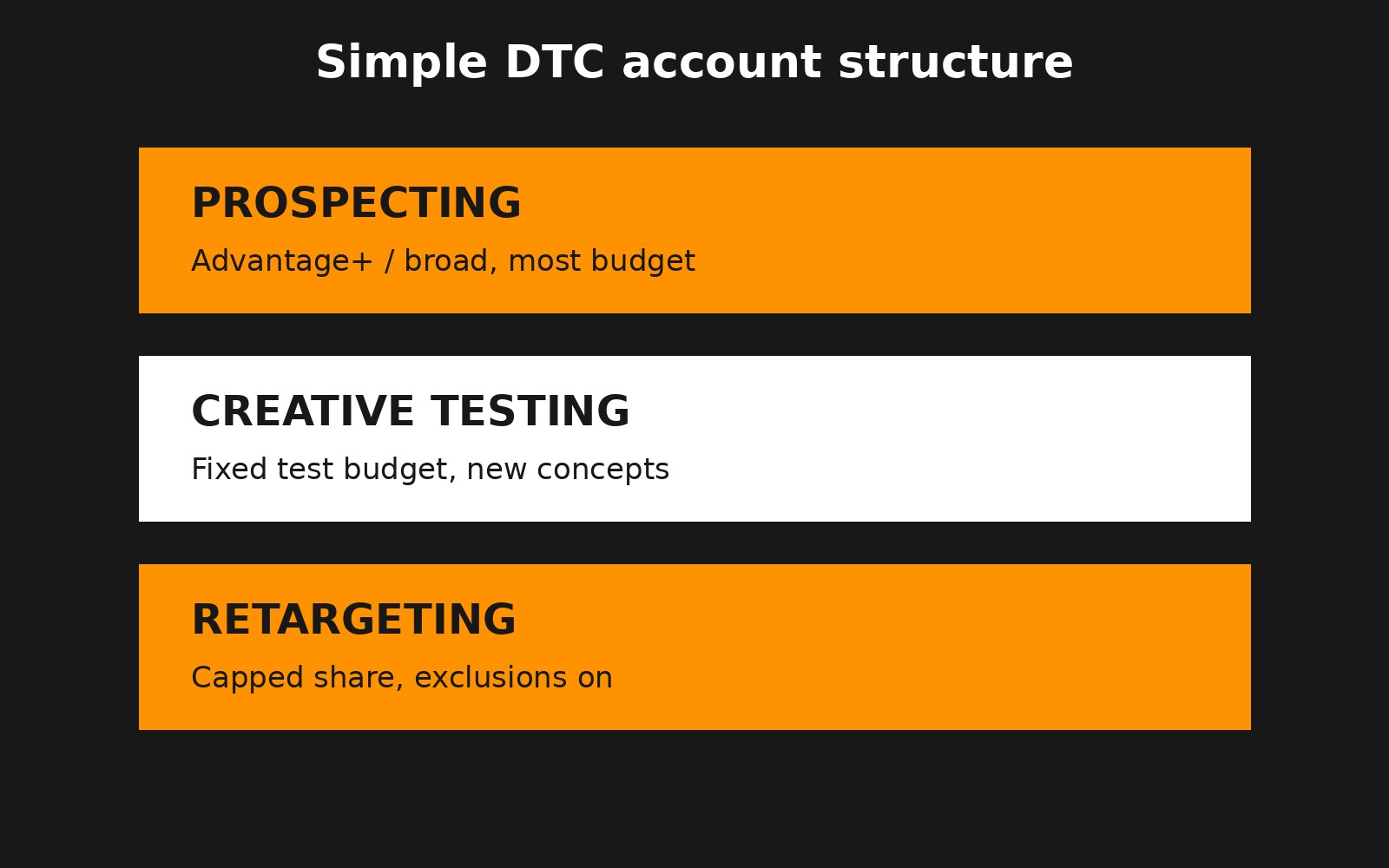
Simple DTC Meta account structure: prospecting, creative testing and retargeting
Three layers: prospecting, creative testing, capped retargeting.
  • Prospecting – Advantage+ shopping campaigns or broad sales campaigns with Advantage+ audience. This gets most of the budget.
  • Creative testing – a fixed share of budget for new concepts, with clear kill and scale rules. See our creative testing cadence and budget guide.
  • Retargeting – a capped share, with purchasers excluded, since Advantage+ already reaches warm audiences. More in our retargeting and catalog ads guide.

In Advantage+ shopping campaigns, set the existing customer budget cap using your customer list so prospecting spend actually goes toward new customers. Upload or sync customer lists regularly.

When results plateau, the fix is rarely more targeting. It's usually creative volume, offer, landing page or measurement – the issues we break down in why your Meta ads aren't scaling even with a solid ROAS.

Naming, UTMs and reporting

  • Naming convention: objective_audience_offer_date for campaigns, and concept_format_hook_creator for ads, so you can read results across months.
  • UTMs on every ad with dynamic parameters (utm_source=facebook, utm_campaign={{campaign.name}}, utm_content={{ad.name}}) so store analytics and post-purchase surveys line up with ads.
  • Attribution setting: use 7-day click, 1-day view as the default and compare against store data rather than switching windows to make numbers look better.
  • Judge with MER: total revenue ÷ total ad spend, plus new-customer revenue, as the business check on what Meta reports.

Launch checklist

  1. Business portfolio owned by the brand, 2+ admins, 2FA on.
  2. Page, Instagram, ad account, dataset and catalog inside your portfolio.
  3. Domain verified.
  4. Pixel + CAPI live; key events show Browser and Server.
  5. Deduplication confirmed with event_id; EMQ reviewed.
  6. Purchase set as the optimization event.
  7. Customer list uploaded; existing-customer cap set.
  8. Prospecting, testing and retargeting budgets defined.
  9. Naming convention and UTMs applied.
  10. Weekly reconcile: Meta purchases vs. store orders, and MER vs. target.

Common setup mistakes we fix in audits

  • Two pixels on one store. Often an old theme snippet plus the Shopify app. Both fire, purchases double, and the algorithm optimizes toward inflated results. Remove hard-coded pixel code once the app integration is live.
  • A new dataset for every agency. Each fresh pixel starts with no history. Keep one dataset per store and share it with partners instead.
  • CAPI "on" but missing parameters. Server events without email, phone or fbc/fbp barely match. Check the event's customer information parameters in Events Manager, not just that server events exist.
  • Purchase value missing or wrong currency. Value-based bidding and ROAS reporting both depend on it. Spot-check a few test orders.
  • Optimizing for the wrong event. Campaigns optimized for landing page views or add-to-cart look efficient and rarely scale profitably.
  • Too many ad sets. Splitting by interest, age and placement fragments budget so nothing exits learning. Consolidate and let creative do the targeting.
  • Retargeting eating the budget. Warm audiences report high ROAS because they would often have bought anyway. Cap retargeting and measure new-customer revenue.
  • No catalog health checks. Catalog ads and Advantage+ use your product feed. Rejected items, missing images or stale prices quietly limit delivery.

Testing your setup before you spend

Use Events Manager's Test events tool with a test code: browse the store, add to cart and place a real or discounted order. You should see each event arrive from both browser and server, with matching event IDs and the right value and currency. Then wait a day and check that the purchase appears once, not twice, in the dataset overview. Ten minutes of testing here saves weeks of optimizing on bad data.

Ongoing maintenance

Setup is not one-and-done. Theme changes, new checkout apps, upsell tools and consent banners can all break events. Add a monthly check to your routine: compare Meta purchases with store orders, review EMQ and any Events Manager diagnostics, and confirm the catalog is syncing.

Bringing it together

Account setup isn't glamorous, but it decides whether Meta's algorithm learns from real purchases or from noise. Own your assets, send clean deduplicated server events, keep structure simple and spend your energy on creative. Lion Media builds and runs this setup for DTC brands; if you want us to audit yours, get in touch.

FAQ

Do I still need the pixel if I use the Conversions API?

Yes. Meta recommends running both. The pixel captures browser signals, CAPI captures server-side events the browser misses, and deduplication with a shared event_id makes sure each order counts once.

How do I set up the Conversions API on Shopify?

Install the Facebook & Instagram sales channel, connect your Business portfolio and existing dataset, and set data sharing to Maximum. Then confirm in Events Manager that key events show both Browser and Server.

What is a good Event Match Quality score?

Higher is better; aim to send as many customer parameters as you legally can (hashed email, phone, name, location, fbp, fbc). Purchase events from Shopify's Maximum setting usually score well.

Should an agency own my Meta ad account?

No. Your brand should own the Business portfolio, ad account, pixel and catalog. Give agencies partner access so you keep your data and history if you ever change partners.

What campaign structure works best for a new DTC Meta account?

Keep it simple: an Advantage+ or broad prospecting campaign with most of the budget, a creative testing campaign, and a small capped retargeting campaign with purchasers excluded.

Ready to Build?

Want this applied to your brand?

Book a free 30-minute growth audit. We'll review your ads, tracking and site, and show you where the profit is leaking.

No commitment. No pitch deck. A real conversation about your growth architecture.

Written by Frank Kenne, Lion Media

Lion Media is a performance marketing agency for DTC ecommerce brands. We build paid media and growth systems around MER and contribution margin, not platform ROAS.

Follow Lion Media on LinkedIn
Share this post